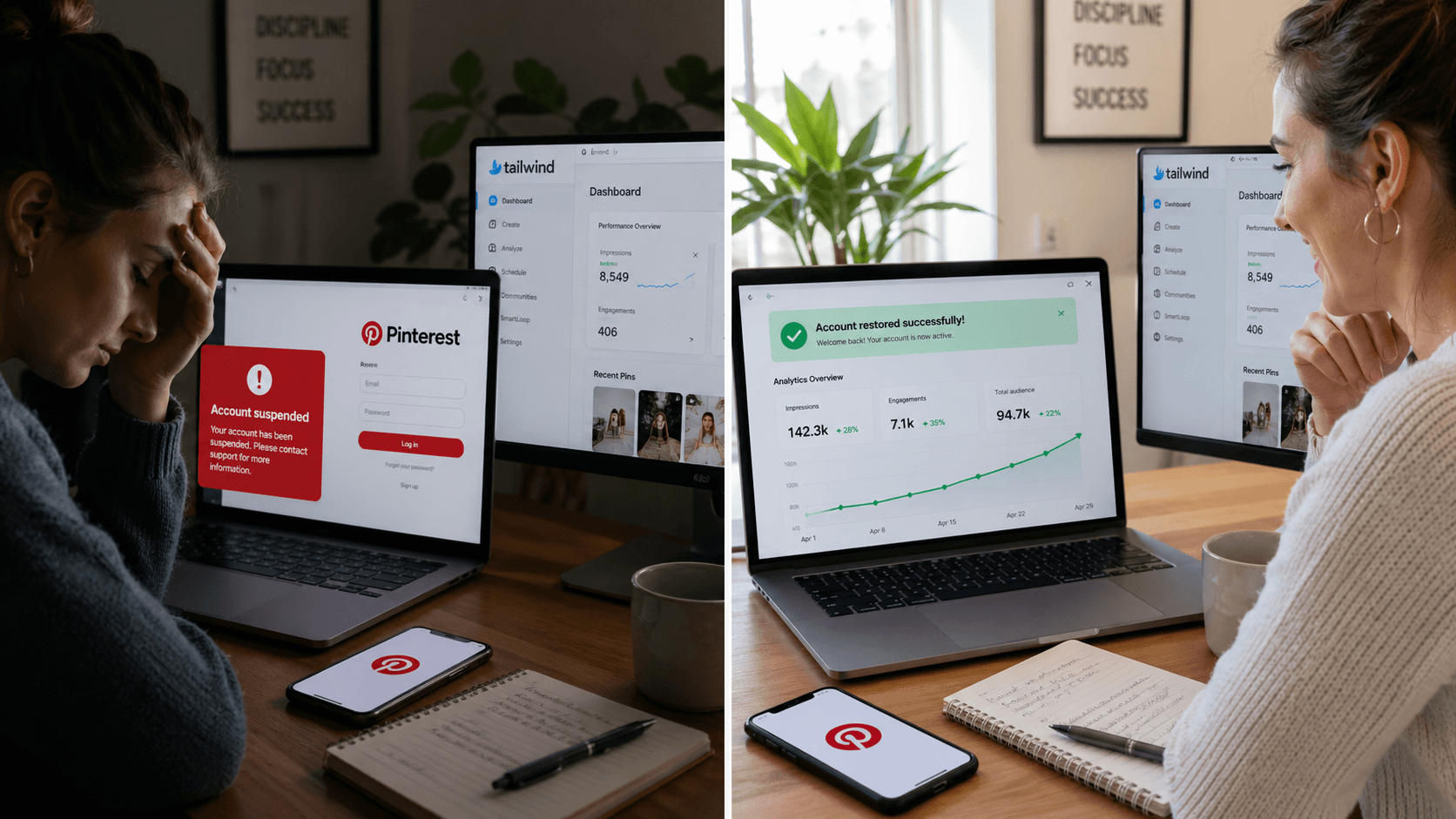
I saw the suspension notice and knew immediately what caused it.
No confusion. No "why is this happening to me." I knew. I had used Tailwind on a brand new Pinterest account that had zero trust built up with the algorithm, and Pinterest's spam detection did exactly what it is designed to do. It flagged the account and shut it down.
Two to three days later the account was back. In that window I learned more about how Pinterest's moderation system actually works than I had in all the guides I had read before launching.
This is the full story. What I did wrong, what I wrote to Pinterest support, and what I changed permanently after the account came back.
What Actually Caused It
Tailwind is Pinterest's officially approved scheduling partner. That matters and I want to say it clearly before anything else: Tailwind is not a black hat tool. It is Pinterest-approved and used by hundreds of thousands of bloggers without incident.
The problem is not Tailwind. The problem is using any scheduling tool aggressively on a brand new account that Pinterest has not yet established trust with.
When a new account suddenly generates a high volume of scheduled pins in a short window, Pinterest's automated spam detection reads that activity pattern the same way it would read a bot. It does not know you are a real person with a real blog and a legitimate content strategy. It sees volume, it sees a pattern inconsistent with organic human behavior on a new account, and it flags the account.
That is what happened to me.
I had started the account, set up Tailwind, and pushed a significant number of pins through it early on because I wanted to build momentum fast. The account was too new. The volume was too high for an account with no established behavior history. Pinterest's system flagged it and suspended access within days.
The moment I saw the notice I knew exactly what the cause was. There was no mystery.
What the Suspension Notice Looks Like
When Pinterest suspends your account you will see a notice when you try to log in. You also receive an email from Pinterest explaining that your account has been suspended for violating community guidelines.
The email does not always specify which guideline was violated. In spam-related suspensions the language is typically generic. You will not receive a detailed breakdown of which pins triggered the flag or which specific behavior caused the suspension.
This is frustrating but it is also useful information. A generic spam suspension with no specific policy violation cited almost always means the trigger was behavioral, meaning the volume or pattern of your activity, not the actual content of your pins. That distinction matters when you write your appeal.
The Email That Got My Account Back
I found a template through a YouTube video that walked through exactly this situation. The email was straightforward because the situation was straightforward. I knew what caused the suspension and I was not going to pretend otherwise.
The structure of an effective Pinterest support email for a spam-related suspension looks like this:
Open by identifying yourself clearly. Your name, your account URL, and a one sentence description of what your account is and what it does. Pinterest support handles thousands of tickets. Give them immediate context.
Acknowledge what likely caused the flag. Do not be defensive. Do not argue that you did nothing wrong if the honest answer is that you pushed too much volume through a new account. Acknowledge that the activity pattern may have triggered the automated system and explain the legitimate intent behind it.
Reference the community guidelines specifically. Name them. Explain that you have reviewed them and understand the behavior that leads to suspension. This signals that you are a creator who takes the platform's rules seriously.
Describe your actual pinning strategy in plain terms. What you pin, how often, why, and what the content links to. You are demonstrating to a human reviewer that you are a genuine content creator, not a spam account.
Ask clearly for reinstatement and commit to adjusted behavior going forward.
Keep the whole thing under 200 words. Pinterest support reads a lot of these. A clear, concise, professional email gets processed faster than a long defensive one.
My account was reinstated within two to three days of sending that email.
What I Changed After the Account Came Back
The first thing I did after the account was restored was stop using all scheduling tools temporarily.
Not because scheduling tools are wrong. Because I needed the account to build a behavior baseline that Pinterest's system recognized as organic and trustworthy before I introduced any volume-based automation again.
For the next few weeks I pinned manually. Smaller volumes. Consistent daily activity. The kind of pattern that a real person running a real account produces naturally.
After that period I switched permanently to Pinterest's native CSV bulk upload tool instead of returning to Tailwind. The native tool is free, has no third party API connection that Pinterest needs to trust, and processes the same scheduled pin batches that any external scheduler would handle. The full workflow for how CSV scheduling works, including how to build the spreadsheet and what the most common upload errors look like, is documented here: How to Use Pinterest CSV Bulk Upload to Schedule Pins.
The suspension never happened again after making that switch.
Why New Accounts Are More Vulnerable Than Established Ones
This is the part most Pinterest suspension guides do not explain clearly enough.
Pinterest's spam detection is behavioral. It looks at patterns of activity and evaluates whether those patterns are consistent with legitimate human use of the platform.
An established account with months of consistent pinning history, a track record of high engagement, and no prior flags has built up a behavior baseline that Pinterest's system uses as a reference point. When that account uses a scheduling tool to post a high volume of pins, the pattern is measured against its own history. The activity looks consistent with how that account has always behaved.
A brand new account has no baseline. Every action it takes is evaluated against generic spam patterns because there is no account-specific history to reference. High volume pinning on a new account looks identical to the opening behavior of a spam operation because that is genuinely what spam operations do: create accounts and immediately push high volumes of content.
This does not mean you cannot use scheduling tools on a new account. It means the volume matters more on a new account than it does later. Start lower. Build the baseline. Increase volume gradually as the account establishes its history.
The pinning volume that is safe for a new account versus an established one is covered in detail here: How Many Pins a Day on Pinterest Actually Grows a Blog Account.
The Three Rules I Follow Now
Never push high volume through any tool on a brand new account. The first thirty days of a Pinterest account are the most sensitive period for spam detection. Keep daily pin volume conservative regardless of what tool you use. Ten to fifteen pins per day maximum in month one.
Use Pinterest's native scheduling tools where possible. The native CSV upload tool produces no API signal that Pinterest needs to evaluate for legitimacy. It processes your batch the same way a manual pin would, just in advance. No third party trust relationship required.
Build the behavior baseline before increasing volume. Consistent low volume activity for the first four to six weeks creates a reference pattern that makes higher volume activity later look like growth, not a spike. The algorithm reads growth differently from spikes. Growth is organic. Spikes are suspicious.
If Your Account Is Currently Suspended
First, determine what type of suspension you are dealing with. A spam flag on a new account is different from a policy violation for content. The steps above apply specifically to spam-related suspensions where the cause is behavioral volume, not content.
If it was a content violation, review Pinterest's community guidelines before you write anything to support. You need to understand specifically which guideline was violated before you can write a credible appeal.
If it was spam-related and you know what caused it, write the support email the same day. Be honest about what the behavior was. Acknowledge that the pattern may have looked like spam. Explain your legitimate intent clearly and briefly. Ask for reinstatement.
Then wait. Pinterest's support team processes appeals manually and the timeline varies. Two to three days was my experience. Some accounts take longer depending on review queue and the specifics of the flag.
Do not create a new account while waiting. Creating a new account on the same device or with the same email domain while an existing account is under suspension review can complicate the appeal and in some cases escalate the situation. Wait for the appeal to resolve on the original account.
What This Changed About My Overall Pinterest Strategy
Getting suspended in month one was one of the more useful things that happened to me while building this account, though I would not have said that at the time.
It forced me to understand how Pinterest's detection systems actually work rather than just following scheduling advice blindly. It led me to the native CSV tool, which turned out to be faster and more reliable than Tailwind for the bulk scheduling workflow I was building anyway. And it produced this post, which gives every blogger starting a new Pinterest account the context they need to avoid making the same mistake.
The account that got suspended in month one is the same account that crossed 200,000 monthly impressions in under four months. The suspension was a two to three day detour, not a dead end.
The full system that produced that growth, starting from setup through to the CSV scheduling workflow and analytics-driven adjustment, is documented in the complete Pinterest growth guide: How I Got 200,000 Pinterest Impressions in Under 4 Months.
Kamal Deen builds niche blogs and grows them with Pinterest and SEO. All data referenced in this series comes from his own accounts.
More from the Pinterest growth series:
- How I Got 200,000 Pinterest Impressions in Under 4 Months (Fresh Account, Real Numbers)
- How to Use Pinterest CSV Bulk Upload to Schedule Pins
- How Many Pins a Day on Pinterest Actually Grows a Blog Account
- Pinterest for Niche Site Builders: My Complete System from Zero to 200k Impressions
- What 1,000 Hours of Blogging Actually Produces (A Realistic Case Study)