If you are creating one pin per blog post, you are treating Pinterest like Instagram and wondering why it is not working like Pinterest.
One pin per article gives you one shot at one keyword, one image, one headline, targeting one audience segment. That pin either gets traction or it does not. If it does not, you have no data on what failed, no fallback, and no way to test a different angle without going back and creating more pins from scratch.
Five pins per post solves all of that. Multiple keyword angles. Multiple design approaches. Multiple chances for one version to break through. And when you see in analytics which version is getting impressions and clicks, which you can track precisely using the method in How to Use Pinterest Analytics to Find Your Best-Performing Content, you know exactly what to create more of in the next batch.
Here is how I do it in about ten minutes per post.
The Core Concept: Same Destination, Different Entry Points
Every pin you create for a blog post shares the same destination URL. They all link to the same article. What changes between the five pins is everything else:
- The background image
- The headline text
- The text overlay style and layout
- The keyword angle in the title and description
- The board the pin gets saved to (sometimes)
Think of each pin as targeting a slightly different version of your reader. The person who searches "container tomato garden" is not identical to the person who searches "growing tomatoes in a pot beginner" even though both land on the same article. Different search intent, different entry point, same destination. Five pins give you five entry points.
Before you start creating, do your keyword research first. I use Pinterest's native search bar and guided search tiles to find five different keyword angles per article, that process is in Pinterest Keyword Research for Bloggers: How I Find Low-Competition Keywords.
The Ten-Minute Process
Before you start: Have the article open in one browser tab and Canva open in another. Have your keyword research done first. For five pins, you need three to five keyword variations for that article.
Pin 1: The primary keyword pin
Open your first Canva template. The headline targets your primary keyword for the article. Use the article's featured image or the clearest, most relevant stock photo as the background. This is the straightforward version. If you do not have templates set up yet, the full template and size guide is in Pinterest Canva Pin Templates: What Sizes and Formats Actually Work in 2026.
Time: 2-3 minutes.
Pin 2: A specific sub-topic
Choose the most interesting sub-topic or section from inside the article. "5 Raised Bed Mistakes That Kill Seedlings" is more specific than the article title. More specific headlines often outperform broader ones because they speak directly to a reader with a very particular problem.
Swap the background image for something that directly illustrates this sub-topic. Change the template layout to create visible distinction from Pin 1.
Time: 2 minutes using an existing template.
Pin 3: A different keyword angle
Target a secondary keyword from your research list. If Pin 1 targeted "container tomato garden," Pin 3 might target "growing tomatoes in small space" or "balcony tomato garden." Same article, different search term, different reader intent.
You can keep a similar design structure but change the color scheme or headline font weight to distinguish it visually from the first two.
Time: 2 minutes.
Pin 4: A curiosity or problem-led headline
Reframe the article's value as a problem being solved or a question being answered. "Why Your Container Tomatoes Are Not Producing (And How to Fix It)" speaks to a reader in frustration mode rather than inspiration mode. This format consistently drives high click-through rates because it catches people at the moment of active pain.
Time: 1-2 minutes.
Pin 5: The fast variant
Your fifth pin can be the fastest to produce: take your best-performing template from your library, swap the headline for your fifth keyword variation (often the longest-tail, most specific one from your research), and choose a background image that is visually distinct from what you used in the first four.
Time: 1-2 minutes.
Total: approximately ten minutes for all five.
What "Different" Actually Means
Different does not mean slightly tweaked. Pinterest detects similarity across pins and suppresses distribution on pins that are too close to duplicates. Each pin needs:
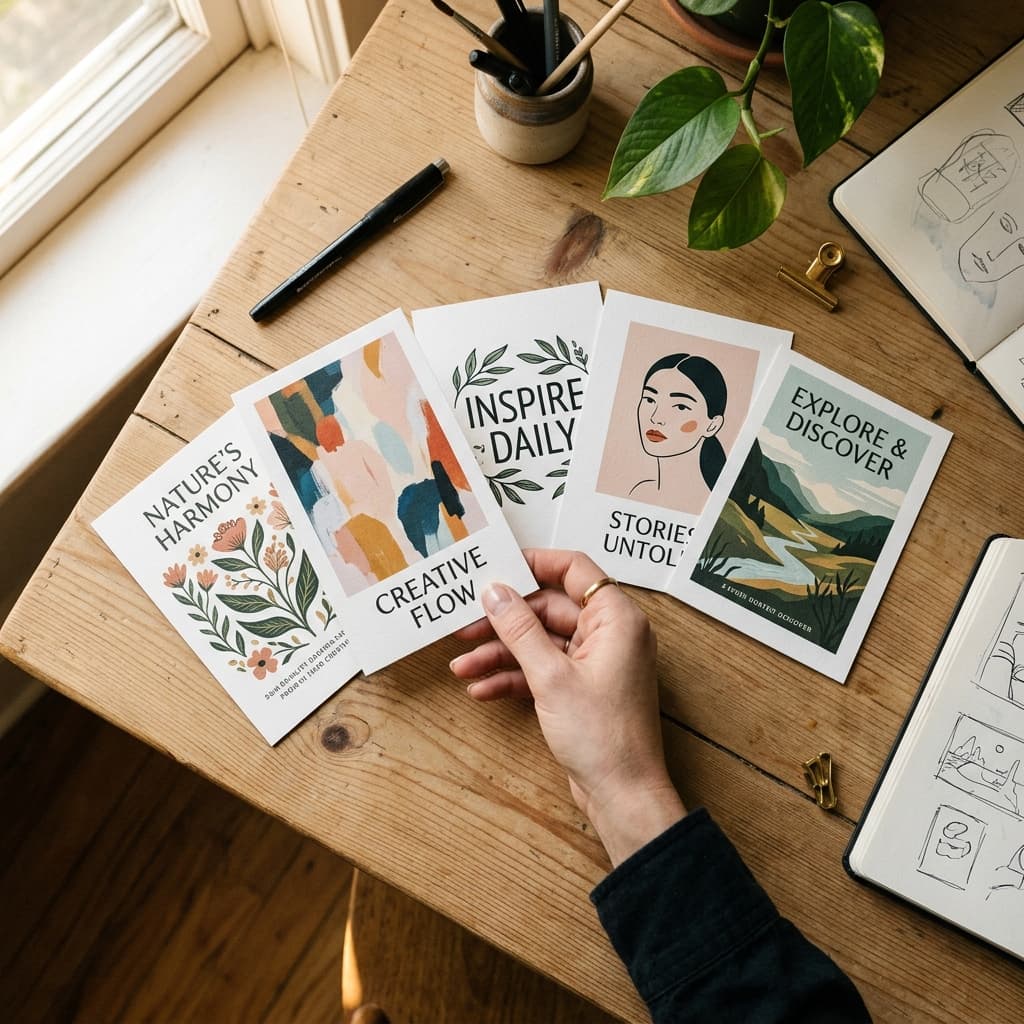
A different image. Not the same photo with a different filter. A genuinely different background image.
Different text. Different headline, different description (written for the CSV, not visible in the Canva design), targeting a different keyword angle.
Different layout if possible. Canva templates make this easy because you can apply the same content to a different template structure and instantly have visual distinction.
Unique description for the CSV. The description is what the algorithm reads to decide who to show the pin to. If all five pins going to the same article have the same description, Pinterest treats them as duplicates and limits distribution on all five. Each description should target a different keyword from your research and use a different sentence structure. The full description writing framework is in How to Write Pinterest Descriptions That Actually Get Clicks.
Creating All Five at Once vs Staggering
I create all five pins for a given article in a single session, then schedule them across the week in my CSV upload. I do not drip them out manually or stagger creation across different days.
The reason: when you are already in the context of one article, the writing and creative decisions come quickly. You have the article open, you know the content, you can generate five headline variations in two minutes while your brain is primed on the topic. Coming back to the same article three days later to create Pin 4 means re-reading the article and rebuilding that mental context. That is inefficient.
Create all five. Schedule them spread across different days with different boards. The algorithm sees consistent fresh content. You handle the whole thing in one focused session. The full scheduling process using Pinterest's native CSV tool is in How to Use Pinterest CSV Bulk Upload to Schedule Pins.
How This Feeds the CSV Workflow
Once I have five pins created for each article in my batch, I have everything I need to populate the CSV:
- Five image URLs (uploaded to Cloudinary from the Canva export)
- Five unique headlines
- Five unique descriptions targeting different keywords
- Five different publish dates and times
- Five board assignments (usually the primary board plus the master blog board for at least two of the five)
Building those rows in the spreadsheet is faster than you expect once the images are ready and the keywords are researched. With 10 articles in a batch, that is 50 pins, giving me five full days of content at 10 pins per day, already more than a week covered.
What Five Pins Per Post Produces Over Time
My current article back catalog represents tens of thousands of potential unique pins. I am nowhere near depleting it. Each new article I publish immediately generates five more pins to add to the rotation.
The math compounds. The 200,000 monthly impressions my gardening niche account hit came from over 200 published pins in four months. Multiple pins per article is the primary reason that volume was achievable without needing to publish a new article every single day.
You do not need to write more. You need to extract more distribution from what you have already written.
Kamal Deen builds niche blogs and grows them with Pinterest and SEO.