Every guide on Pinterest descriptions tells you to write like you are texting a friend.
Conversational. Warm. Relatable. Like a real person typed it.
That advice is not wrong. It is just aimed at the wrong audience.
Here is what most people writing Pinterest tips do not tell you: as of 2026, Pinterest has quietly deprioritized showing descriptions to users in most feed placements. The description text does not consistently appear under pins in the home feed. On mobile, which is where most Pinterest browsing happens, users often see only the pin image and the title. The description is truncated behind a "more" tap that most people never press.
So you are not writing your description for a human who will read it and decide whether to click. You are writing it primarily for an algorithm that will read it and decide who to show your pin to.
That reframe changes everything about how to write them.
What Pinterest Actually Does With Your Description
Pinterest's algorithm reads your description text to understand three things: what the pin is about, who it is relevant to, and whether it matches specific search queries.
It does this through semantic analysis, not just keyword matching. Pinterest is not scanning your description for the presence of specific words in specific positions. It is reading the description the way a search engine reads a page, looking for topical signals, related concepts, and contextual relevance.
This is why "keyword stuffing" kills distribution. A description that reads "veggie garden veggie garden tips container veggie garden beginner veggie garden ideas" sends a spam signal to the algorithm regardless of how relevant those keywords are individually. Pinterest reads it as manipulative rather than informative and suppresses distribution accordingly.
It is also why writing naturally, in full sentences, with keywords embedded in context, works better than any other approach. Natural sentence structure produces semantic variety. Semantic variety is exactly what the algorithm needs to accurately categorize your pin and match it to the right searches.
The human reading your description is secondary. Write for the algorithm first, and the human experience will follow.
The Two Jobs a Description Actually Has
Despite everything above, descriptions do still serve a human purpose. Just not the one most guides focus on.
Job one: signal to the algorithm. This is the primary function. The description tells Pinterest what the pin is about, who it serves, and which searches it should appear in. This job is done entirely behind the scenes. The user never sees it happening.
Job two: appear in search results. When a user searches a specific term on Pinterest and your pin appears in the results, the description text is more likely to be displayed in that context than in the home feed. A user who searched "veggie garden raised beds" and sees your pin in results is more likely to read the description than someone passively scrolling their home feed.
This means your description needs to be written for the searcher with intent, not the passive scroller. The person who will actually read your description has already typed something into the search bar. They know what they are looking for. Your description should confirm that your pin is exactly what they searched for.
How to Actually Write Them
Open with the primary keyword in the first sentence, used naturally.
Not as the first word necessarily. In natural context. A description for a pin about growing tomatoes in containers should open with a sentence that a person would genuinely say about that topic, which happens to include the phrase "container tomatoes" or "growing tomatoes in containers."
"Growing tomatoes in containers is one of the easiest ways to get a productive crop on a small balcony or patio, even if you have never grown food before."
That sentence contains the keyword. It reads naturally. It gives the algorithm a clear topical signal and gives the searcher an immediate confirmation that the pin is relevant to what they looked for.
Add one to two sentences of genuine context.
What does the article, pin, or blog post actually contain? Say it specifically. Not "great tips inside" but the actual content.
"This guide covers the best container sizes for different tomato varieties, the soil mix that produces the most fruit, and why watering consistency matters more than anything else."
That sentence contains secondary keywords (container sizes, tomato varieties, soil mix) embedded naturally in a genuinely useful description of the content. The algorithm gets additional semantic signals. The searcher gets a preview that makes clicking feel worthwhile.
End with a functional close, not a desperate CTA.
"Full guide on the blog" or "Step-by-step breakdown linked" is enough. You do not need "Click now to discover the SECRETS of container gardening!" That language does not appear in natural human writing and Pinterest's semantic analysis can detect the difference between genuine content and marketing copy.
The call to action should feel like a natural final sentence, not a sales pitch.
The Character Count That Actually Matters
Pinterest descriptions support up to 500 characters. Board descriptions support up to 500 characters. Most advice tells you to use as many as possible.
The data says otherwise.
Tailwind's analysis of high-performing pins in 2025 found that descriptions averaging 220 to 232 characters outperformed longer ones. Not because shorter is always better, but because concise descriptions tend to be more focused. A 480-character description written by someone trying to hit a character count is usually padded. A 220-character description written to communicate something specific is usually tighter, cleaner, and easier for the algorithm to categorize.
Write until you have said what needs to be said. If that is 180 characters, stop at 180. If it requires 280, use 280. Do not pad to 500 because you read somewhere that longer is better and do not cut to 100 because you read that shorter wins. Write the complete thought and stop.
The one place character count matters for a different reason: the first 75 to 100 characters. That is the window that appears in truncated placements before the "more" tap. If your most important keyword and your most compelling phrase are not in that window, they may never be seen by a human at all. Lead with what matters.
What Not to Do (and Why Each One Kills Distribution)
Duplicating the same description across multiple pins.
Pinterest detects duplicate descriptions and treats them as spam signals. If you are using CSV bulk scheduling and copying the same description row across fifteen pins linking to the same article, you are suppressing distribution on every one of those pins. Each pin needs a unique description, even if they all link to the same blog post. Vary the keyword angle, vary the sentence structure, vary which aspect of the content you describe. The destination is the same. The description should not be.
I cover the CSV scheduling workflow, including how to build the spreadsheet, what columns matter, and why the description column is the most dangerous one to copy-paste, in How to Use Pinterest CSV Bulk Upload to Schedule Pins.
Using hashtags as a keyword strategy.
Pinterest officially confirmed that hashtags no longer influence search distribution the way they did in 2019. Including two or three that feel natural will not hurt you. Building your keyword strategy around them, or stacking five to ten at the end of every description, is wasted characters and a dated signal that tells the algorithm your account is following old playbooks.
Writing the same description as your pin title.
Your title and description are two separate keyword signals. If they say the same thing, you are sending one signal twice instead of two different signals. The title should target the primary keyword. The description should expand into secondary keywords, related concepts, and contextual information that reinforces the topic without repeating the title verbatim.
Keyword-dense opening sentences that read like lists.
"Veggie garden, container gardening, small space garden, raised bed garden, beginner garden ideas." That is not a sentence. Pinterest reads it as a keyword list, not natural language, and suppresses distribution. The same keywords woven into a genuine sentence produce better results every time.
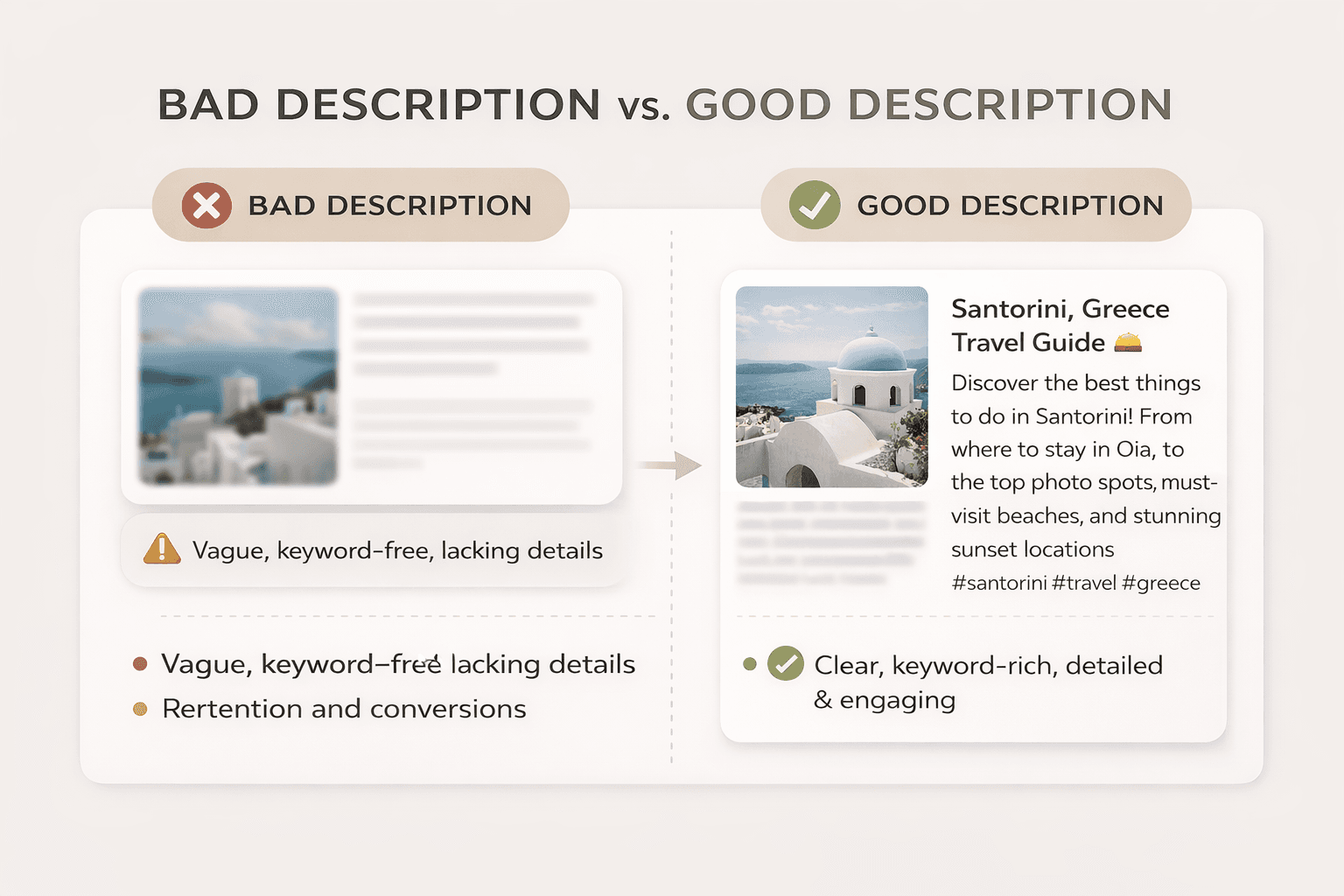
A Real Example: Two Descriptions for the Same Pin
The pin links to an article about setting up a Pinterest business account for a new blog.
Version A (what most people write):
"Pinterest business account setup guide for bloggers. Learn how to create a Pinterest business account step by step. Pinterest tips for new bloggers. Pinterest for blog traffic."
Version B (what actually works):
"Setting up a Pinterest business account correctly from day one makes a measurable difference in how fast the algorithm starts distributing your pins. This guide covers the business vs personal account decision, how to claim your website, and the board setup steps most new bloggers skip. Full walkthrough on the blog."
Version A contains more explicit keyword repetitions. Version B contains richer semantic signals, describes the actual content, and reads like something a human wrote about something they know. Pinterest's algorithm favors Version B. So does any human who happens to read it.
If you have not set up your business account yet, the step-by-step walkthrough is here. The description setup section near the end covers profile bio keywords, which feed the same algorithm as pin descriptions.
The Batch Writing Workflow
Writing twenty unique descriptions for a CSV batch is the task most people procrastinate on. Here is how to do it without burning time.
Group your pins by article. If you have five pins going to the same blog post, write five descriptions for that post before moving to the next. Open the article in one tab and your spreadsheet in another. Your first description covers the main angle. The second focuses on a secondary benefit or sub-topic. The third targets a different keyword the article also covers. The fourth and fifth rotate back to angle one and two with different sentence structures.
This approach produces five genuinely different descriptions for the same destination in about ten minutes. It is faster than writing them one by one across different sessions because you are already in the context of that article's content. The complete five-pin process, how to create all five in under ten minutes and schedule them across the week, is documented in How to Create 5 Pins Per Blog Post Without Burning Out.
The keyword pool for each article should come from your Pinterest search bar research. Before you write descriptions for a batch of pins going to the same article, type the article's main topic into Pinterest search and note the five most relevant autocomplete suggestions. Those become the keyword angles you rotate through across the five descriptions. The full keyword research method is in Pinterest Keyword Research for Bloggers: How I Find Low-Competition Keywords.
One Thing That Matters More Than the Description
The description does the algorithmic work. It determines which searches your pin appears in and which audience sees it.
But the image determines whether that audience clicks.
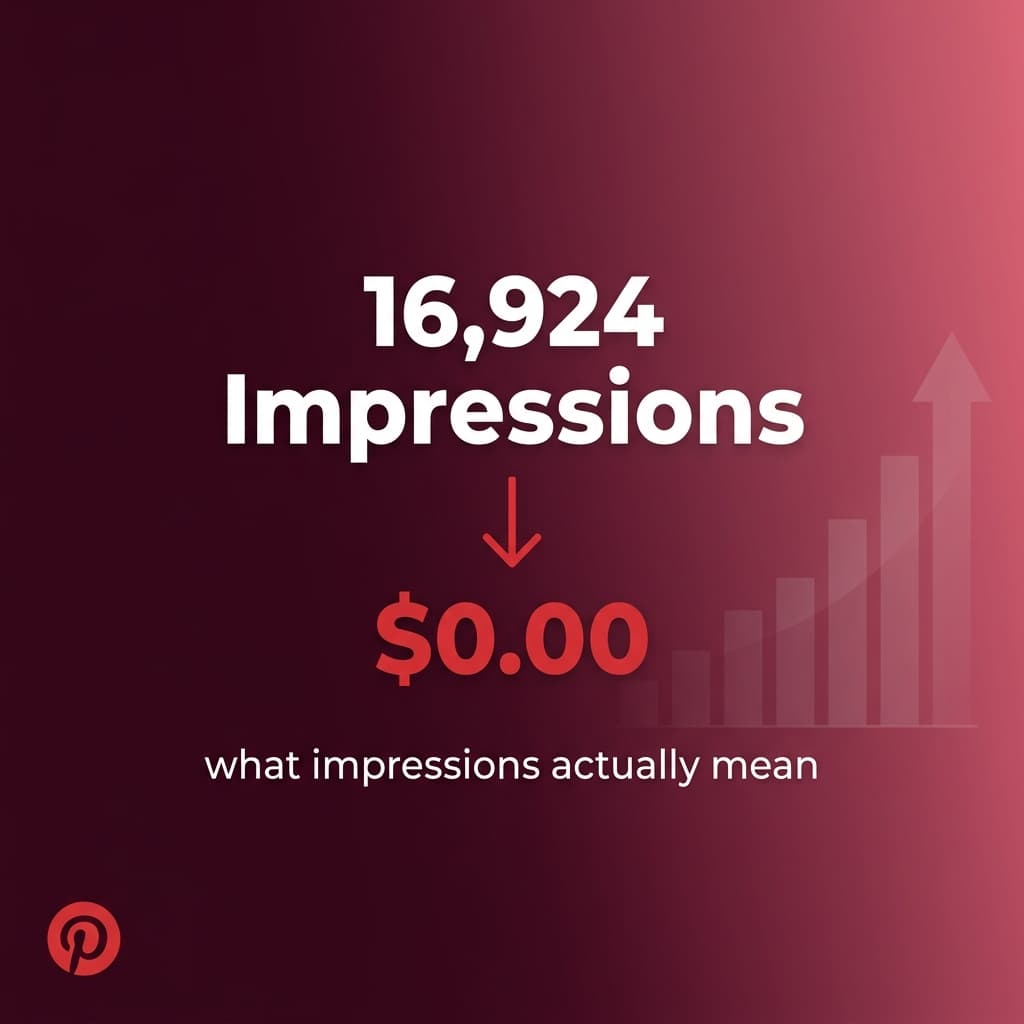
A pin with a perfect description and a weak image will accumulate impressions and no outbound clicks. Pinterest Analytics will show you rising impressions with flat click-through rates. That is the exact signature of a pin whose description is working (the algorithm is distributing it to the right people) but whose design is not closing the deal.
If you are seeing high impressions and low clicks, the description is probably fine. Fix the image first. The pin sizes and design elements that actually drive clicks are covered in Pinterest Canva Pin Templates: What Sizes and Formats Actually Work in 2026.
The full breakdown of what actually drove 200,000 impressions on a fresh account, including the moment outbound clicks started matching the impression volume, is in this post: How I Got 200,000 Pinterest Impressions in Under 4 Months.
The Short Version
Write for the algorithm by writing naturally. Open with your primary keyword in a genuine sentence. Add one to two sentences of specific, accurate content preview. Close functionally. Keep the total between 180 and 280 characters unless more is genuinely needed. Never duplicate descriptions across pins. Never treat hashtags as a keyword strategy.
Your description will almost certainly not be read by the person who clicks your pin. It will be read by the system that decides whether that person ever sees it. Write accordingly.
Kamal Deen documents real Pinterest growth and blogging income experiments at kamaldeen.com. All data referenced in this series comes from his own accounts.